Eisenhower matrix
Urgent or important? The Eisenhower matrix puts every task in one of four boxes, and each box tells you what to do with it: do it, schedule it, delegate it or drop it.
A filled-in example
Do first
- Send the client proposal
- Fix the payment bug
2 items
Schedule
- Plan the Q4 roadmap
- Book the dentist
2 items
Delegate
- Update the wiki
- Order office supplies
2 items
Eliminate
- Endless meetings
- Checking email on loop
2 items
When to use it
When the to-do list overflows and everything feels like a priority. The matrix is named after Dwight Eisenhower, who is credited with the idea that what is urgent is seldom important, and what is important is seldom urgent.
- Planning your week or your day
- Getting back on top of things after a break
- Sharing work across a team
- Sorting a list that never gets shorter
How to fill it in
- Do first (urgent and important): handle it now, yourself.
- Schedule (important, not urgent): block time in your calendar. This is the box that moves things forward.
- Delegate (urgent, not important): someone else can take care of it.
- Eliminate (neither urgent nor important): cross it off without regret.
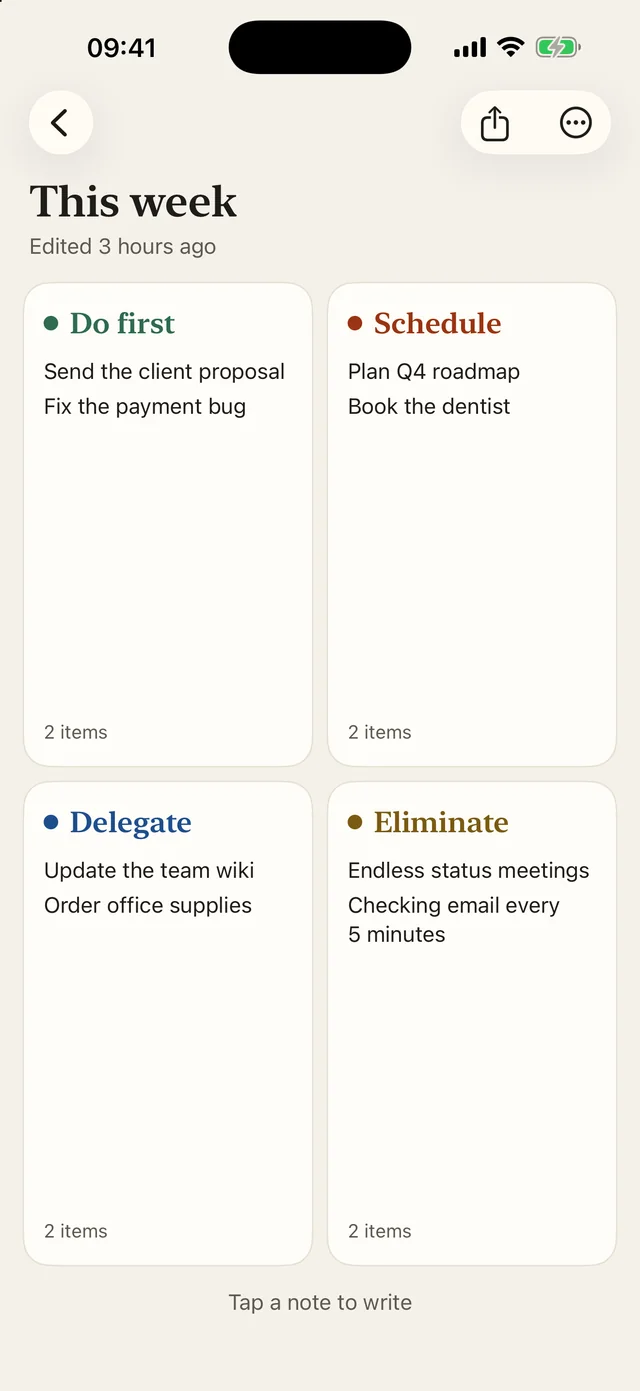
This template is waiting in Side Notes.
Create a board and pick “Eisenhower Matrix”: the note headings are already in place. Free on iPhone, iPad and Mac.
Free, no ads, no account.
Printable version
A blank grid, ready to fill in with a pen. The button prints the example and the blank grid, without the rest of the page.
Eisenhower matrix · Blank grid
Do first
Schedule
Delegate
Eliminate
Frequently asked questions
How do I place a task in the matrix?
Ask two questions. Does it matter for my goals? That is importance. Does it have to happen very soon? That is urgency. The two answers give you the box.
How often should I redo my matrix?
Once a week is usually enough, with a quick look at the Do first box every morning.